Pass/Fail Thresholds
Select P/F to set threshold values for acceptable loss that match test requirements in the OLTS setup. For each wavelength, enter the maximum loss and the minimum ORL in order to pass, as well as the fiber length that you expect to see. Refer to Thresholds for information on OTDR thresholds for splice loss, connector loss, attenuation, etc.
 Refer to Measure Cables for information on launch/receive cable measurements to account for length or index compensation. The loss associated with these cables is applied to the OLTS measurement to obtain the true link loss only.
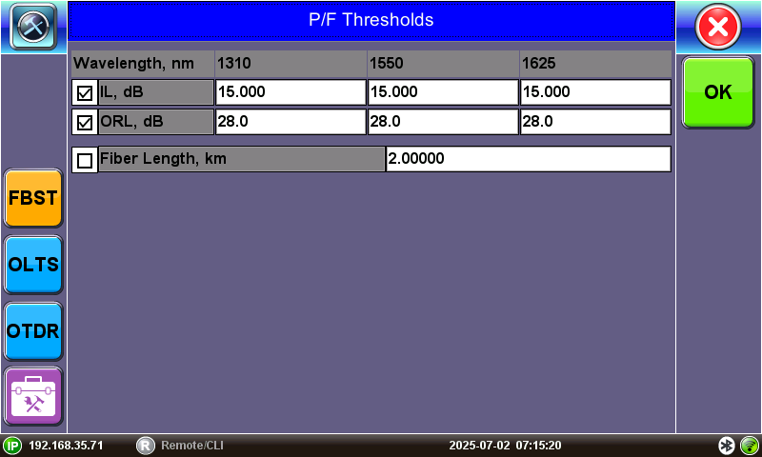
FiberBEAST Setup: Pass/Fail Thresholds
Each column heading displays the wavelength to which the Pass/Fail Thresholds apply.
- IL (dB) - Total fiber loss in dB for Fiber-Under-Test (FUT) that exceeds the set value.
- ORL (dB) - Total Optical Return Loss in dB for Fiber-Under-Test (FUT) that exceeds the set value.
- Fiber Length (km) - Total fiber length that exceeds set value.