Ethernet
Setup
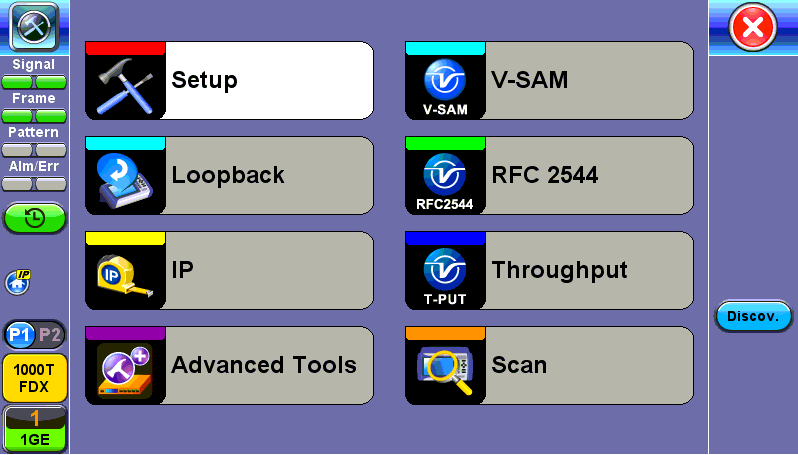
Ethernet Home Menu
When the soft LEDs are steady green, this indicates that the module is ready to perform different tests. This may require turning the LASER On button for optical interfaces or tapping the History tab to clear blinking LED reminders of past Errors and Alarms (test results are not affected).
Ports
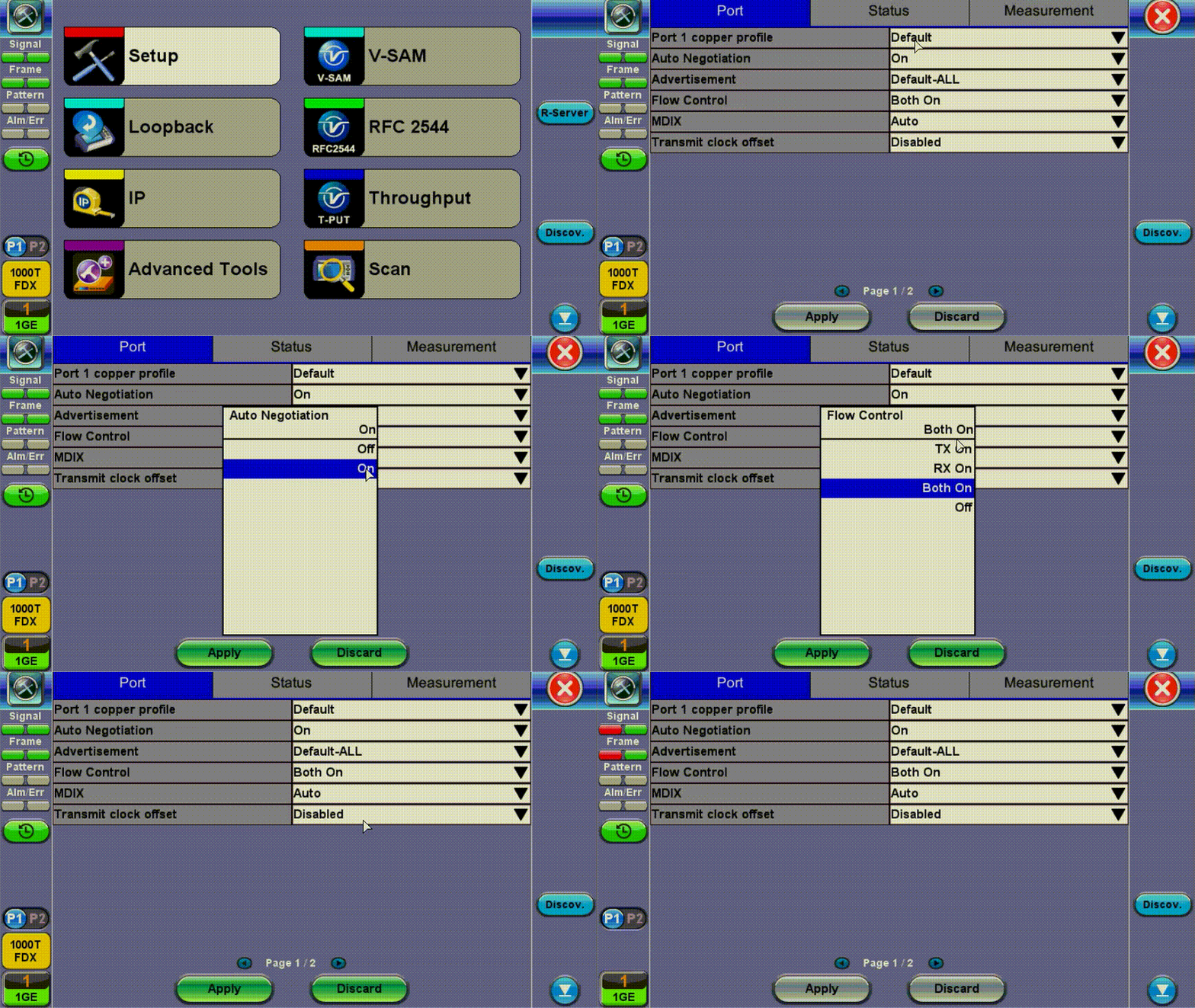
Port setup or test interface configurations are accessed via the Setup menu located on the Home page. The available configuration settings depend on the interface selected in the Test Mode selection.
Select the operation mode and the interfaces that will be used to carry out tests. Once the operating mode and interfaces are selected, independently configure the auto-negotiation, speed, duplex, and flow control settings for each port (where applicable).
After configuring settings, tap Apply to save changes. Tap Discard to revert to previous selections.
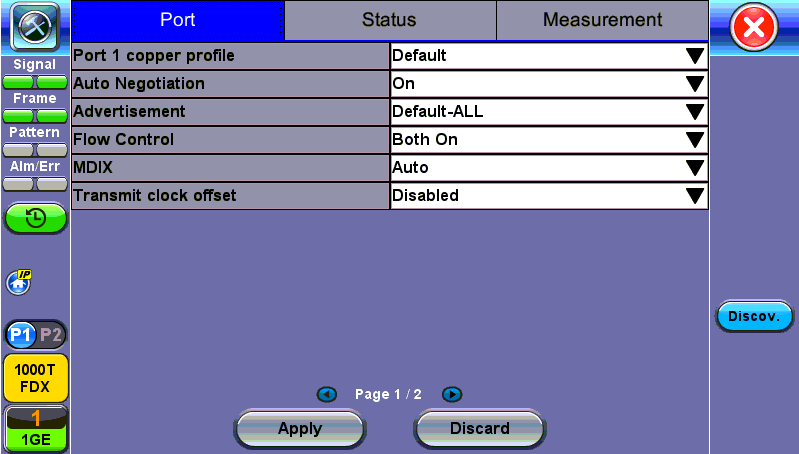
100/1000Base-X Port Setup
100/1000Base-X and 100/1000Base-T Port
- Auto Negotiation: On or Off. Matches the test set’s negotiation settings to those of the link partner
- Speed (only when Auto Negotiation is Off for 100/1000T): 10 Mbps, 100 Mbps, or 1000 Mbps
- Duplex (only when Auto Negotiation is Off): Half or Full
- Advertisement (only when Auto Negotiation is On for 100/1000 Base-T): Default-All or Custom. Custom options include 10/100/1000M/Half or 10/100/1000M/Full.
- Flow Control: TX On, RX On, Both On, or Off
- When flow control is On, the test set will respond to pause frames received by the link partner by adjusting the transmit rate
- When flow control is Off, the test set ignores all incoming pause frames from the link partner and continues transmitting at the configured transmit rate
- Clock Offset (1000 Mbps only): The frequency may be offset in parts per million
- MDIX (100/1000Base-T only): Off, On, or Auto. When MDIX is set to Auto, the test set detects the required cable connection type and configures the port connection properly for interfacing the partner device, eliminating the need for crossover cables.
- Transmit clock offset (100/1000Base-T only): Disabled or Enabled. Due to hardware limitation, transmit clock offset is only valid when PHY is working on Master mode. Clock offset measurement is only valid when PHY is working on Slave mode.
- PHY working mode: Master or Slave.
- Transmit Ignore Link Status: On/Off
- Synchronous Ethernet (SyncE): Disabled or Enabled. When Enabled, makes the signal traceable to an internal or external reference clock.
Status
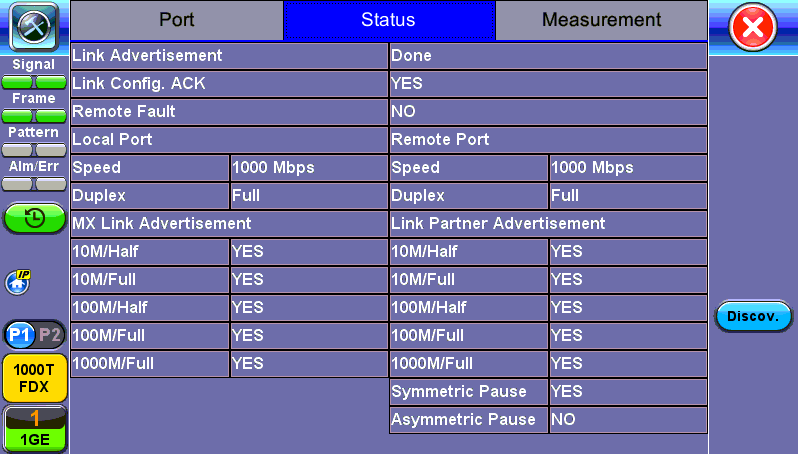
Status tab for 10/100/1000Base-T
The Status tab lists current port settings. Please note that the Status tab is only available if a fiber port option is selected from the Test Port Selection menu.
10 GE Port
- 10GE Mode: LAN or WAN
- WIS Mode (only available in WAN mode): SDH or SONET
- Flow Control: Enable chosen as default option
- Clock Offset (ppm): The frequency may be offset in parts per million
- Link Fault Response: Disable or Enable (also enables Local link and failure, remote, failure)
- Transmit Ignore Link Status: On/Off
- Synchronous Ethernet: (SyncE) Disabled or Enabled. When Enabled, makes the signal traceable to an internal or external reference clock.
Measurement Settings
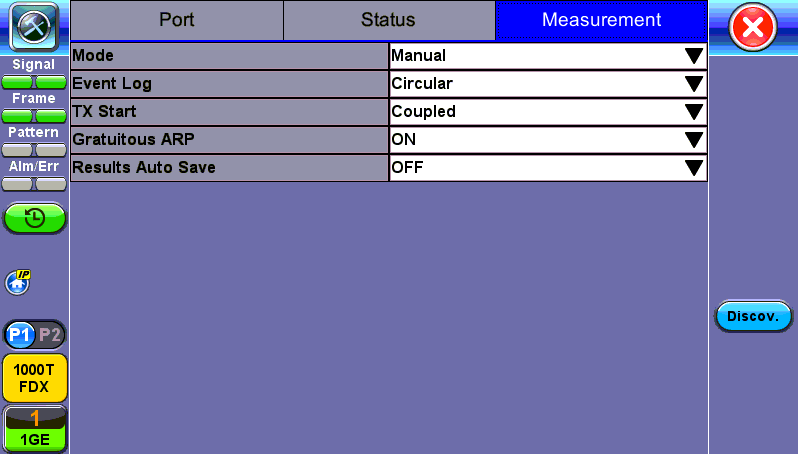
Measurement Setup
The measurement and event log settings are configured in this screen.
- Mode: Manual, timed, or auto mode are available.
- Manual mode: Starts and stops the measurements manually.
- Timed mode: Defines the duration of the test; after the test is started, the test will run for the configured duration and stop automatically.
- Event Log: Logs up to 1000 event entries. If there are more than 1000 events,
- Circular keeps the latest entries. The oldest entry will be deleted so that the new event can be added.
- Blocked stops recording new events after 1000 entries. The latest entries will not be logged.
- TX Start: Separated or Coupled. Configures how the measurements are started when in BERT and Multiple Streams test modes.
- Separated: Independent control (Start/Stop) of the transmitter is enabled. At the start of the test only the receiver is turned on -- the user must start the transmitter manually.
- Coupled: Transmitter and receiver are turned on at the same time, and the Tx and Rx measurements start at the same time at the start of the test.
- Clock (ToD) Synchronization Device: Disable, GPS, 1PPS, Local, Atomic 1PPS. Select the device to be used to synchronize the clock to perform the One Way Delay measurement.
When a device is selected the following fields can be seen on the screen:
External Clock Input: 1pps (SMA Port). The SMA Port must be used for the 1pps signal.
UTC ToD: Displays the Coordinated Universal Time (UTC) Time of Day once it is acquired.
Clock Sync Time: Time field to configure the UTC ToD that both test sets, carrying out a one-way delay test between each other, will be synchronizing their internal time stamping at.
Both test sets must be configured to the same Clock Sync Time.
- Gratuitous ARP: ON or OFF. If set to ON, a gratuitous ARP is performed. When the test port has an IP connection, an ARP request will be transmitted at regular intervals to keep the router/gateway ARP table aware of the test set's IP address. This setting is useful for long-term L3 routed testing.
- Results Auto Save: ON or OFF. If set to ON, results will be saved automatically.