Alarm Injection settings
Alarm injection can be performed during the test. The type of alarms and alarm injection are configured in the Alarm Injection tab. Once the test is running, alarm injection can be performed by pressing the Alarm Inject button on the right side of the screen.
 Alarm Injection is available only with 10GE Port Tests.
-
Alarm Type: Local Fault, Remote Fault, PCS-HI-BER, PCS-LOBL
-
Alarm Flow: The alarm flow determines how the selected alarms will be injected. A specific Count or Continue (continuous) can be selected.
-
Alarm Length: 1s, 10s, or 100s.
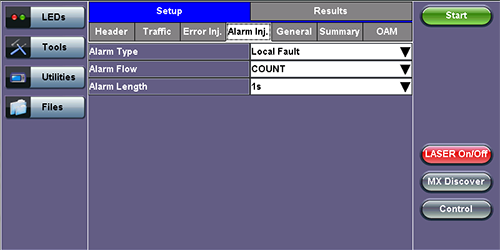
Throughput Alarm Injection Setup