Referencing
Referencing can be performed locally or remotely prior to taking measurements. To perform loss (dB) testing, the meter must be referenced (calibrated) to the Laser Source output.
|
It is also recommended to keep both test sets for referencing, before leaving the Remote test set behind. For example, on a PON construction validation test, one can reference and setup the Remote test set, and connect it to an F1 feed, then move to the subscribers' side and use the Controller unit to test all the distribution drops. |
 Referencing is recommended prior to testing each day or whenever test jumpers or launch cables are changed.
Zero Calibration
Before performing any measurements, including reference measurements, it is important to zero out the meter.
To zero out the test meter:
-
Close the dust cap completely over the port. It cannot be partially covered or reference measurements will not be accurate.
-
On the FiberBEAST screen, select OLTS
 , then select Zero
  .
.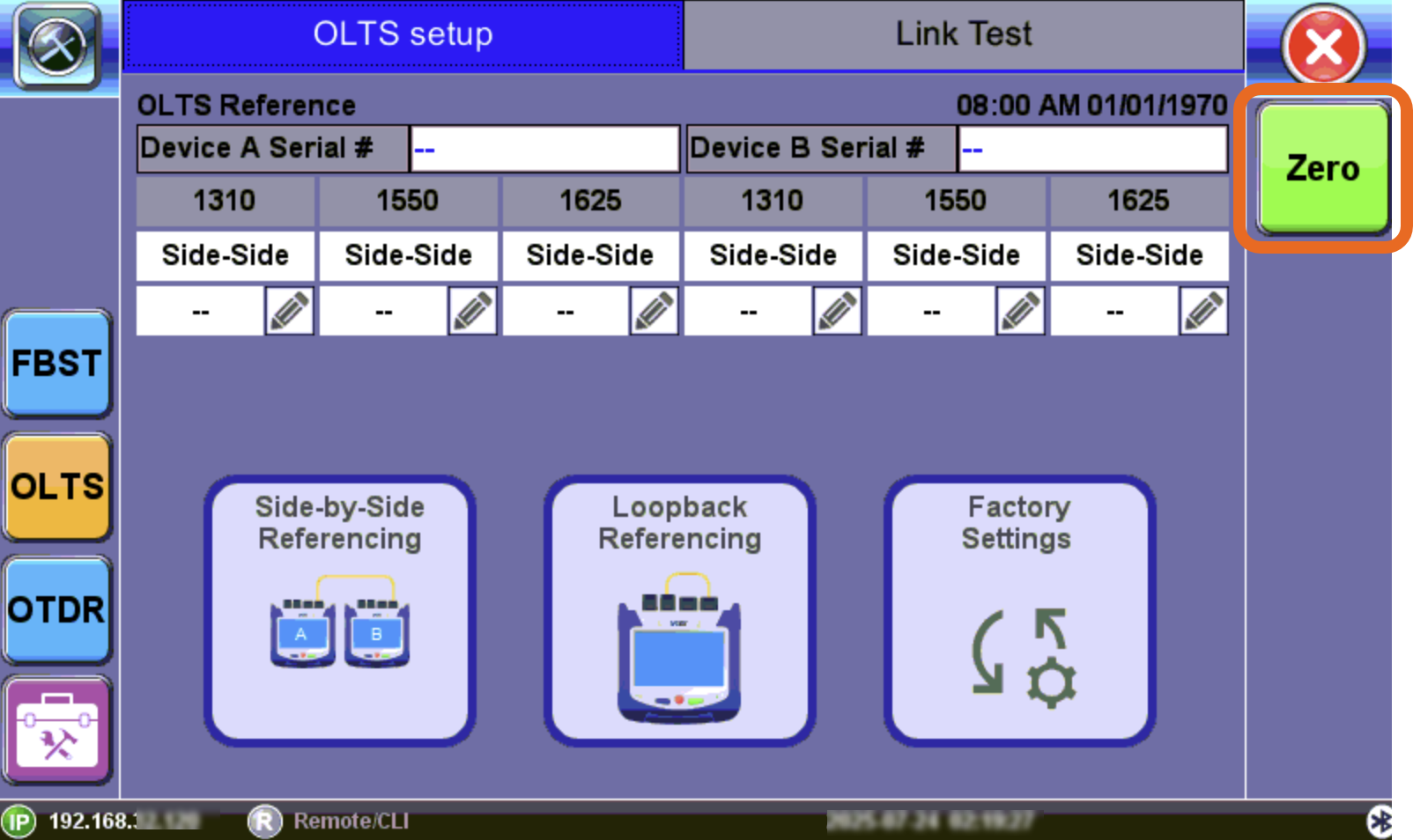
OLTS screen: Zero Calibration option
Reference Measurement
To measure reference cable loss:
- If not already performed, zero out the meter by closing the dust cap and select Zero on the OLTS screen.
- For Side-by-Side Referencing, connect the main test port of the unit at one end to the main test port of the unit at the other end using a reference patchcord. For Loopback Referencing, connect a clean patch cord between the OTDR port and the OPM port on the same unit.
- On both FX160 test sets:
- On the main menu, select FiberBEAST.
- Select OLTS to access the OLTS application.
- On the FX160 Controller unit, select the option to perform the reference.
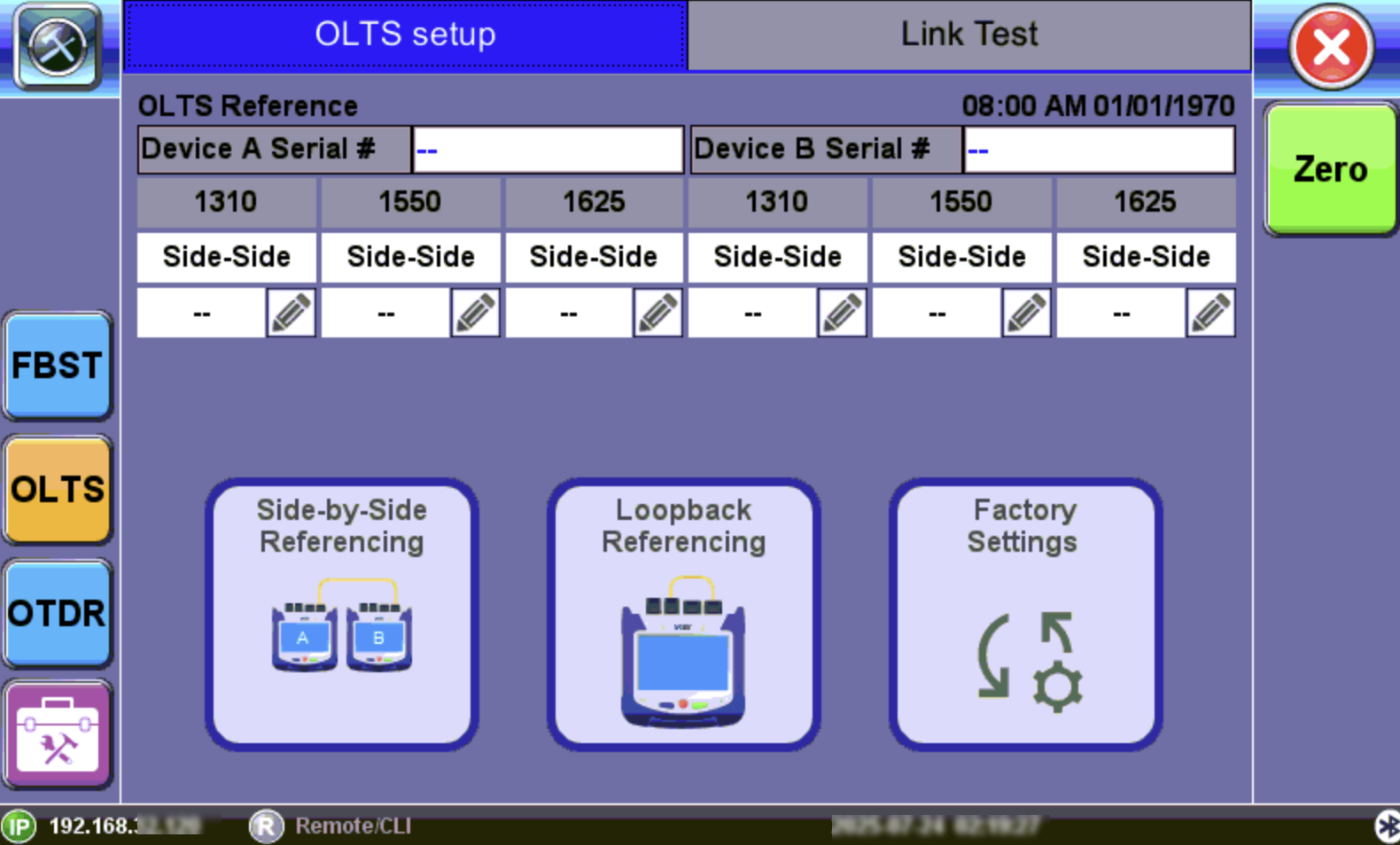
FiberBEAST™ Screen
-
Side-by-Side Referencing(most accurate and recommended) – Both test sets must be side-by-side at a local site. This referencing establishes a connection between test partners and measures insertion and return loss of the fiber jumpers or launch fiber. Reference values are stored and later applied to obtain true loss readings.
Use by connecting two units next to each other.Connect the OTDR ports on both test sets together, using a clean patch cord that will be used for testing. If needed, on the Remote test set, select the FBST button to place in FiberBEAST™ mode. Keep the main Controller test set in OLTS mode and select Side-by-Side Referencing. The test sets will perform insertion loss and ORL referencing automatically and store these references in the main unit for future tests. The remote unit does not require any user input or action.
-
Loopback Reference – Loopback referencing accommodates scenarios when technicians are located at different locations and it is impractical and time consuming to bring the test units together for referencing.
Use by connecting one unit back to itself. Connect a clean patch cord between the OTDR port and the OPM port on the same unit. Then, select Loopback Referencing. The unit will measure its insertion loss and ORL references for that patch cord (does not measure connector loss).The Loopback Referencing procedure must be performed on both test sets, Local and Remote, so the proper references are set on both sides.
-
Factory Settings – Uses factory reference values for the OTDR port. This option can be used when connecting directly to the fiber's pigtail AND there isn't access to the remote FX160 test set.
This setting will not account for the insertion loss or ORL of any patch cords (if used) nor does it consider changes in conditions. This will add extra variability to the measurement.
Side-by-Side Referencing Shortcut
To perform side-by-side referencing directly from the FiberBEAST setup screen, select Reference  .
.
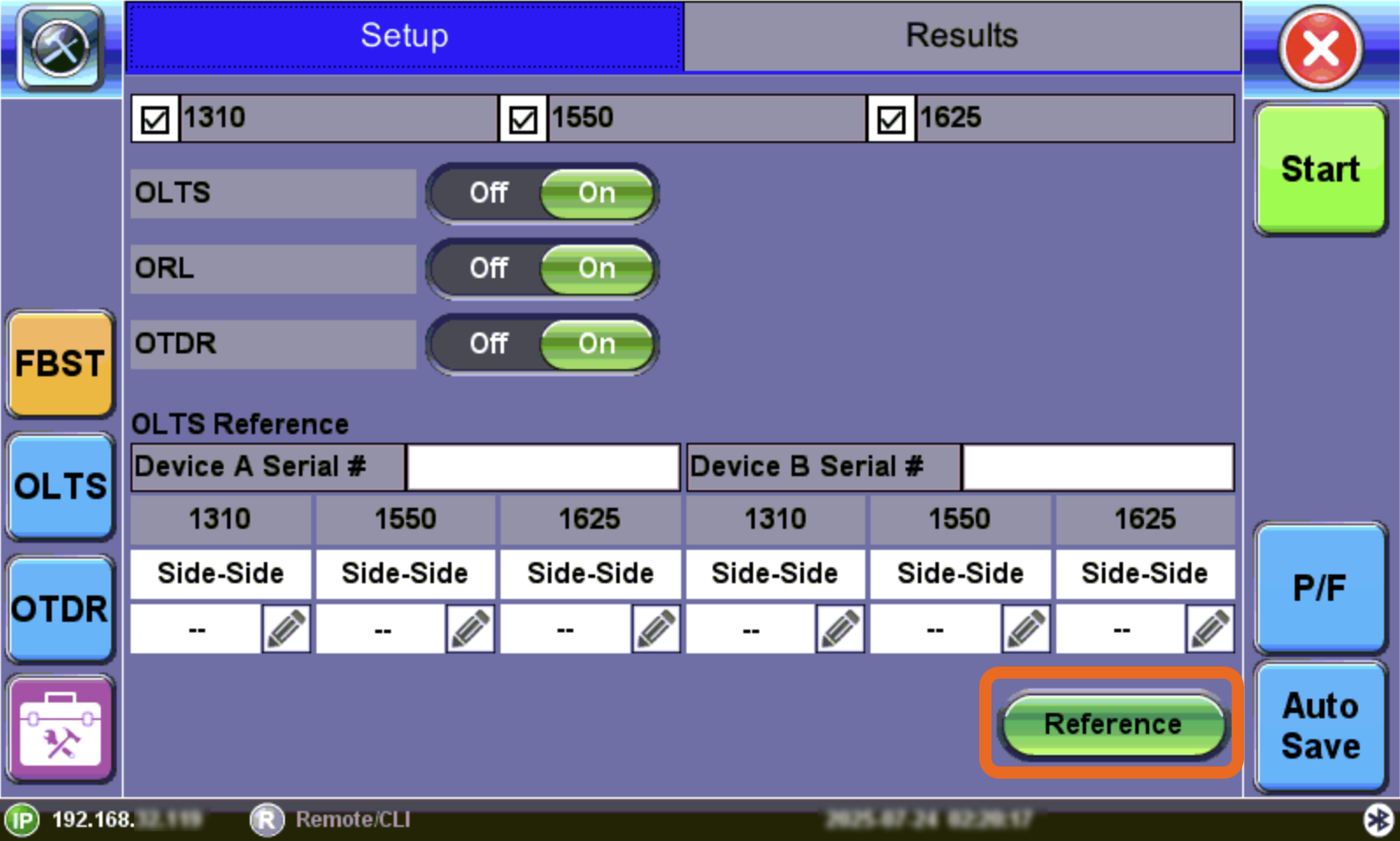
Side-by-Side Referencing
Once referencing is complete, take the test sets to their respective test sites, make the necessary connections and begin testing.