Global Settings

|
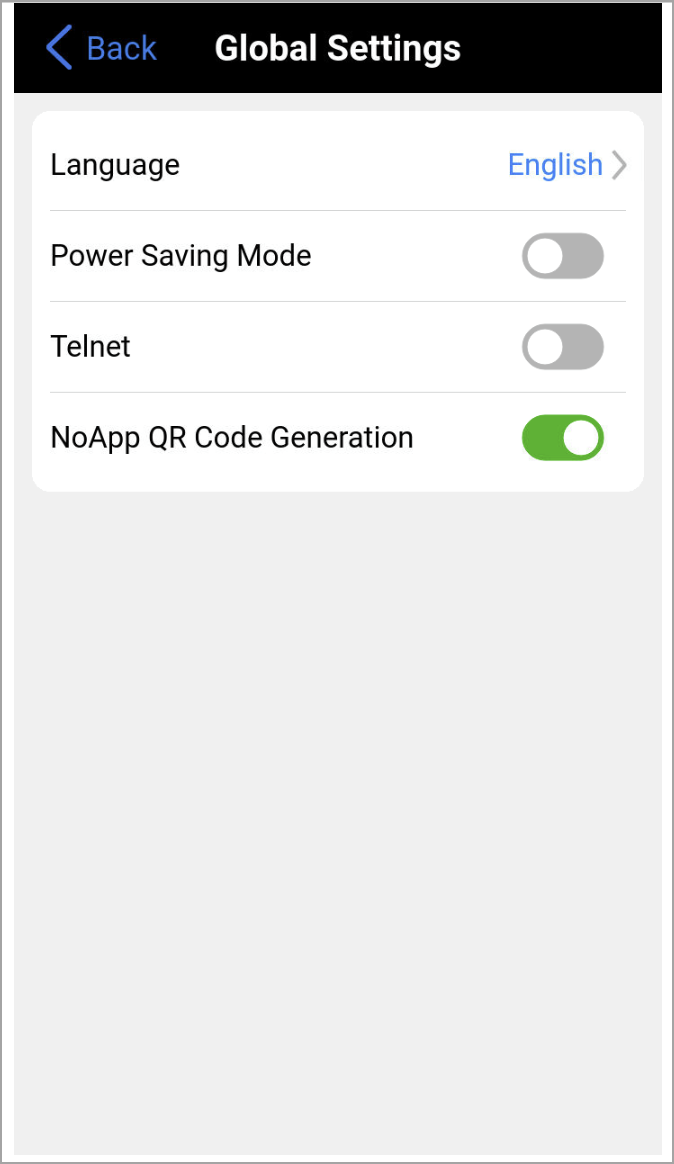
Select Global Settings to configure system‑wide options that apply to all shared features, such as language, NoApp® QR codes, and Telnet. |
-
Language: Select an alternative language for the user interface.
-
Power Saving Mode: Reduces power consumption to help extend battery life.
-
Telnet: Enables incoming Telnet and SSH connection requests. Enable Telnet and SSH services only if instructed by VeEX's Customer Support team while troubleshooting any issues. To learn more about Telnet, see How to Establish a Telnet Connection with a VeEX Portable Test Set in the VeEX Knowledgebase.
 Keep Telnet disabled whenever the test set’s management port is exposed to a public IP address or has Internet access, since this prevents security risks associated with unencrypted remote access.
 -
NoApp QR Code Generation: Enables NoApp®
 to transfer test result data, generate, upload and share test reports, via QR Code and NFC.