OLT Commission
Commissioning OLTs ensure reliability of the network before customer activation, prevent service disruptions by catching misconfigurations, and provide baselines for troubleshooting and maintenance. It aligns the physical fiber plant with logical service provisioning.
Use the OLT Commission feature to ensure the OLT can connect to ONTs by:
-
By measuring downstream and upstream optical power levels at the headend.
-
Confirming that splitter outputs and ODN losses are within ITU-T standards.
-
Validate synchronization with ONTs/ONUs.
The commissioning results can be saved with Job, Fiber, and Location information (including GPS coordinates if test set has optional GPS chip built-in). Results can also be uploaded to R-Server to provide audit trails for operations teams. Refer to R-Server™.
Setup
-
On the OLT Commission screen, select Setup on the right side of the screen.
 The Setup information is always saved from the previous commissioning.
-
Tap the fields to enter the requested information, such as the manufacturer, serial number, and physical location of the OLT.
-
Enter the number of ports and first port number to test. These are required fields.
-
Select
 Exit to return to the previous screen.
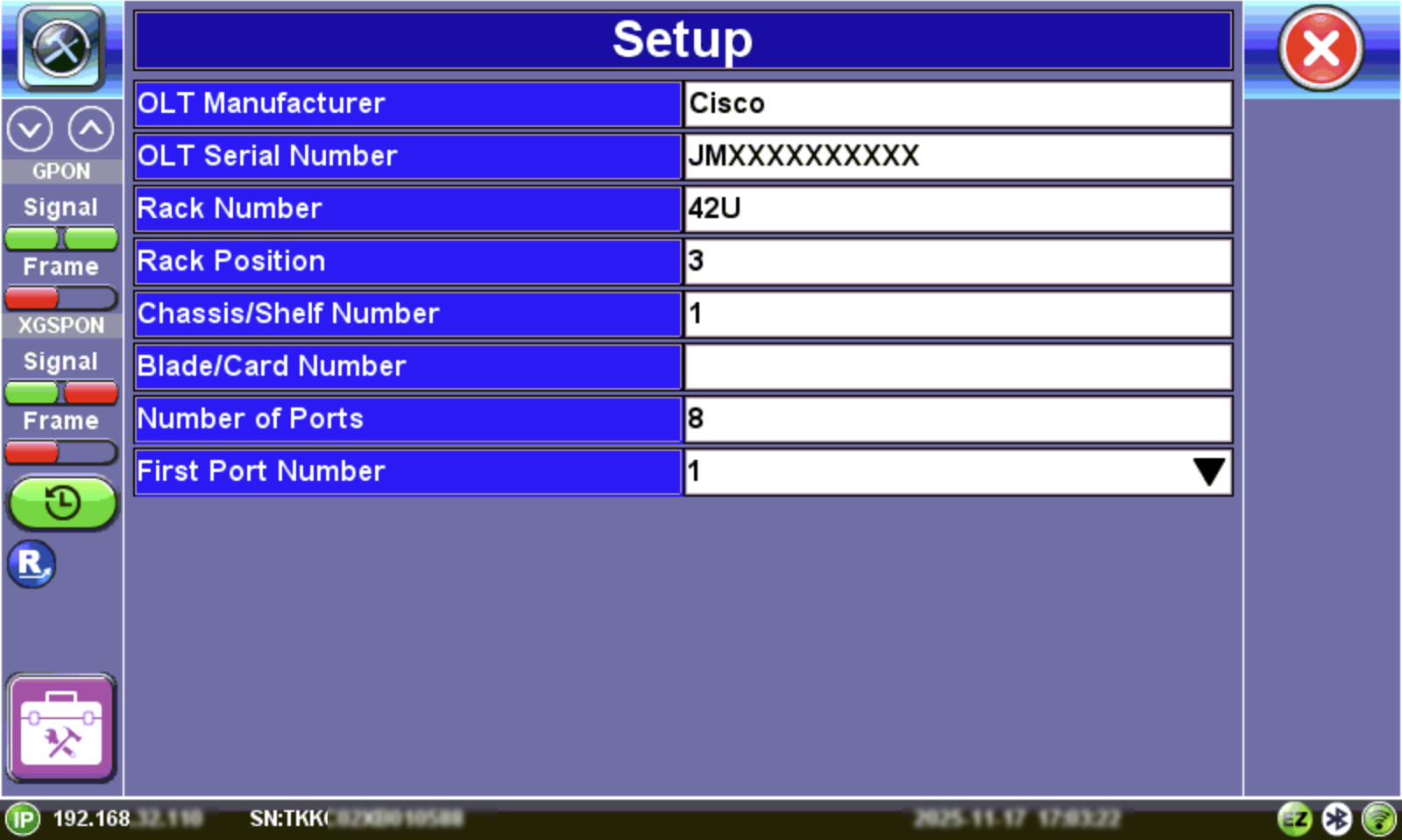
OLT Commission Setup
Test Power Levels
-
Select Start.
-
Using a patchcord, connect to the port being tested, then on the test set tap the port field. The detected PON ID and power level is displayed for both GPON and XGS-PON for each port.
-
Test each port and review the PON ID and registered power level at the bottom of the display.
-
When finished, select Stop.
-
Select
Exit. -
At the save prompt, select Yes and enter job details (e.g., job name, fiber ID, location). To upload results to R-Server, select Sync.
The company name and address are automatically retrieved from Platform Settings. To update them, go to  System Utilities > Owner Information.
-
Press OK to confirm and save the results for reporting or upload.
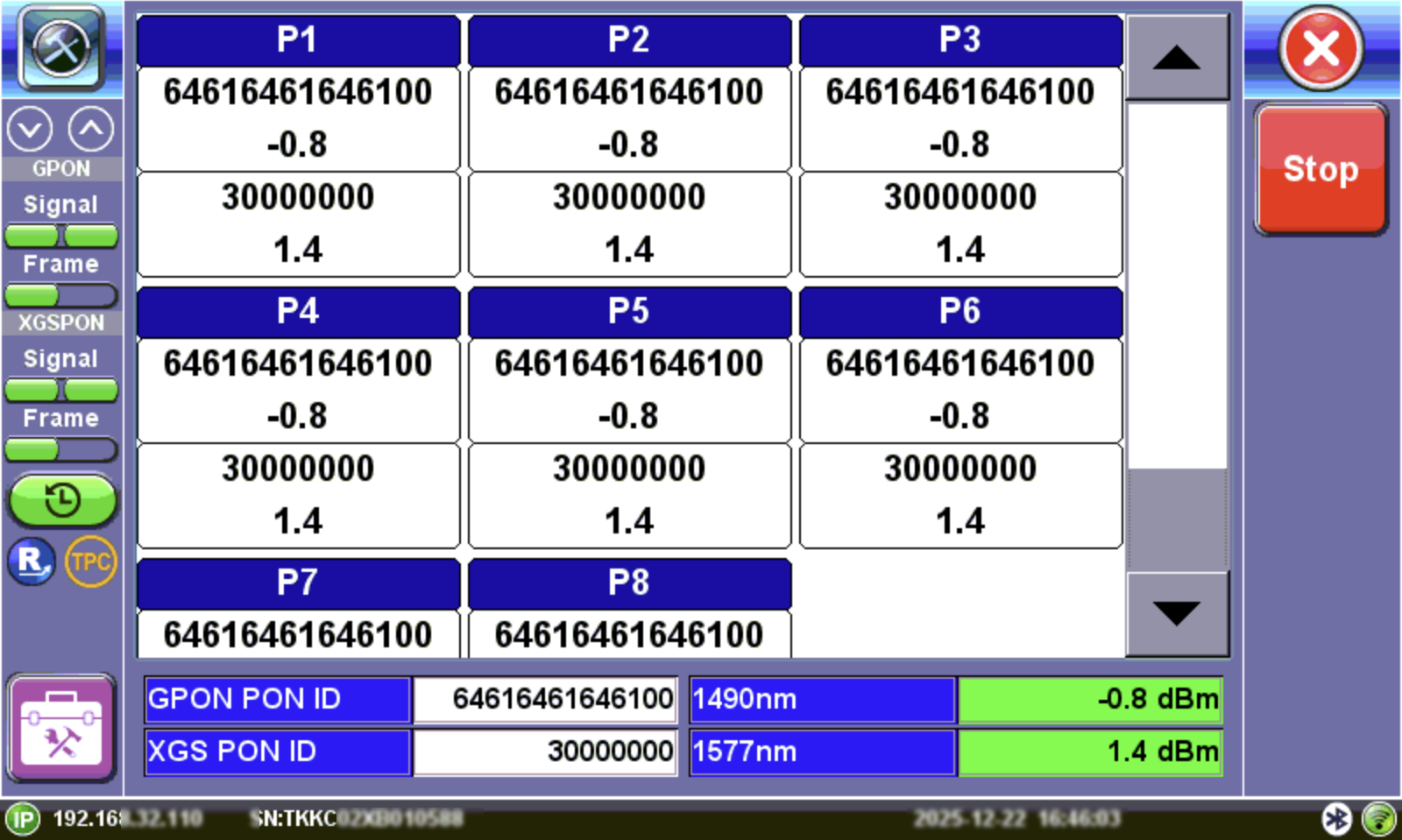
OLT Commission
The pass through power levels shown at the bottom will reflect if they pass or fail against ITU-T/IEEE standard threshold values configured in Setup.
Refer to OPM Setup for information on test profile setup.
|
|
|
|
|
|
 Green: The measured signal is above the critical threshold.
 Red: The measured signal level is below the critical threshold and does not meet the specification.
 Yellow: The measured signal is below marginal and above critical.
 White: No thresholds are set.
View OLT Commission Test Results on Test Set
To access the results report:
-
On the top left, select
System & Tools to open Platform Settings. -
Select Results & Files.
-
From the list, select the commissioning test you want to view.
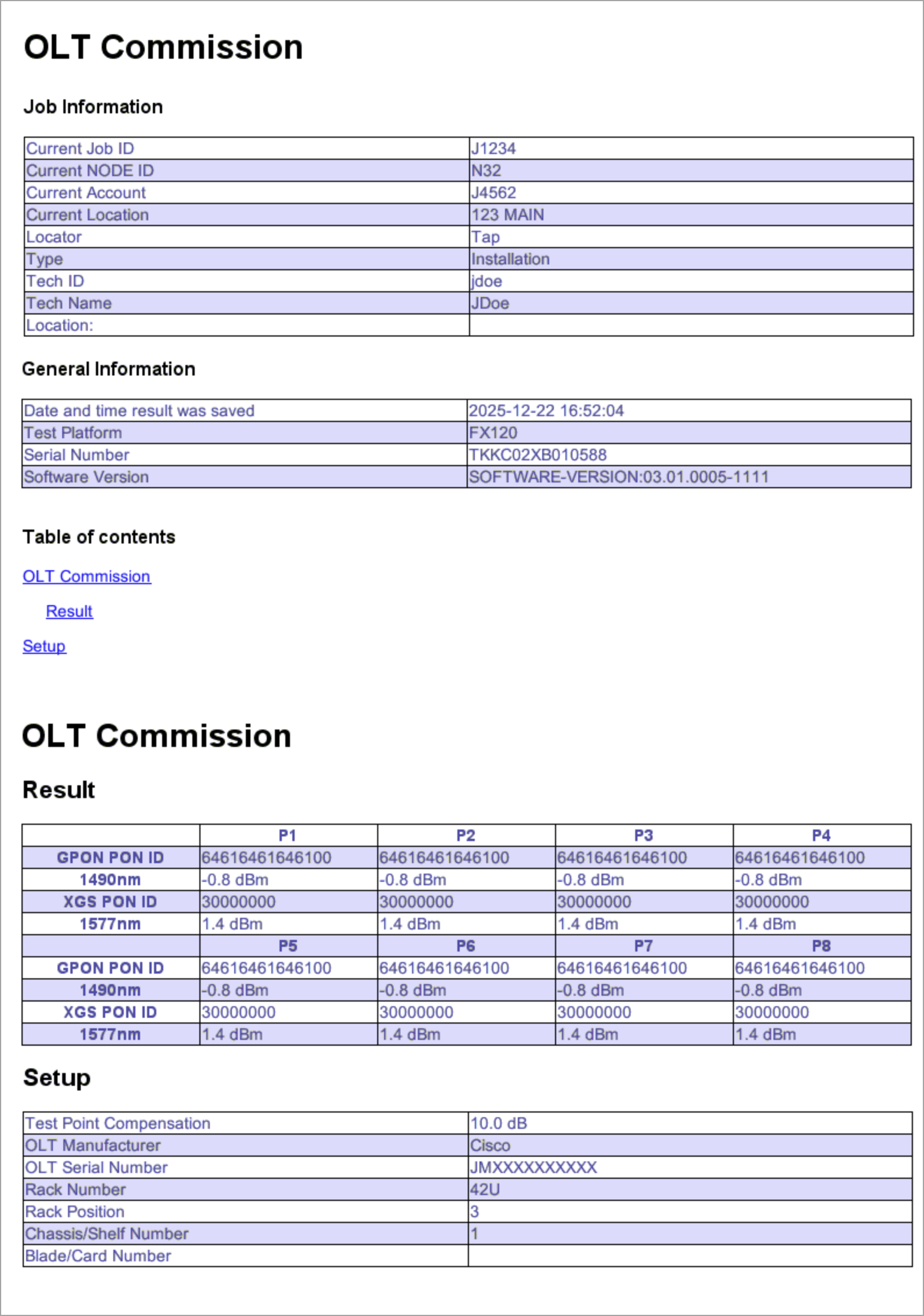
OLT Commission Test Sample Results