FiberBEAST Results
After the measurements for the fiber are completed, a summary of results for all selected tests (IL, ORL, OTDR) is displayed on the Results tab.
OLTS + OTDR Results
A summary of insertion loss and ORL in both directions as well as the average loss calculated by the OLTS is displayed.
The OTDR summary results are shown at the bottom of the screen. The 1-Way OTDR Status shows the overall grading on the OTDR result, as configured in the P/F settings on the Setup screen.
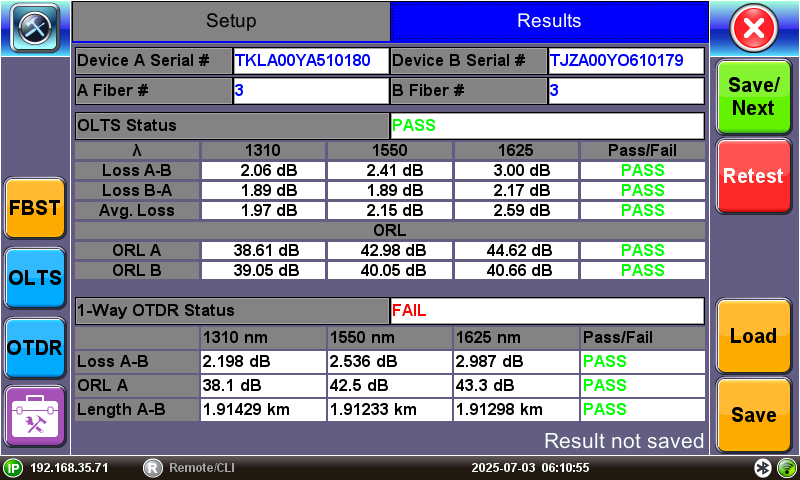
OLTS Link Loss + OTDR Results
More details on OTDR results can be viewed by selecting the OTDR  button. This includes the LinkMap, as well as all traces that were run during the test.
To proceed to the next fiber, select Save/Next. The current results are saved and a new test with the same settings (fiber number incremented) begins automatically.
To discard the current results and retest, select Retest.
OLTS Only Results
The Results tab for OLTS selected tests only (no OTDR) shows a summary of insertion loss and ORL in both directions as well as the average loss calculated by the OLTS.
Use the Next and Previous buttons to view every fiber result that has been measured in the current job and retest, if needed.
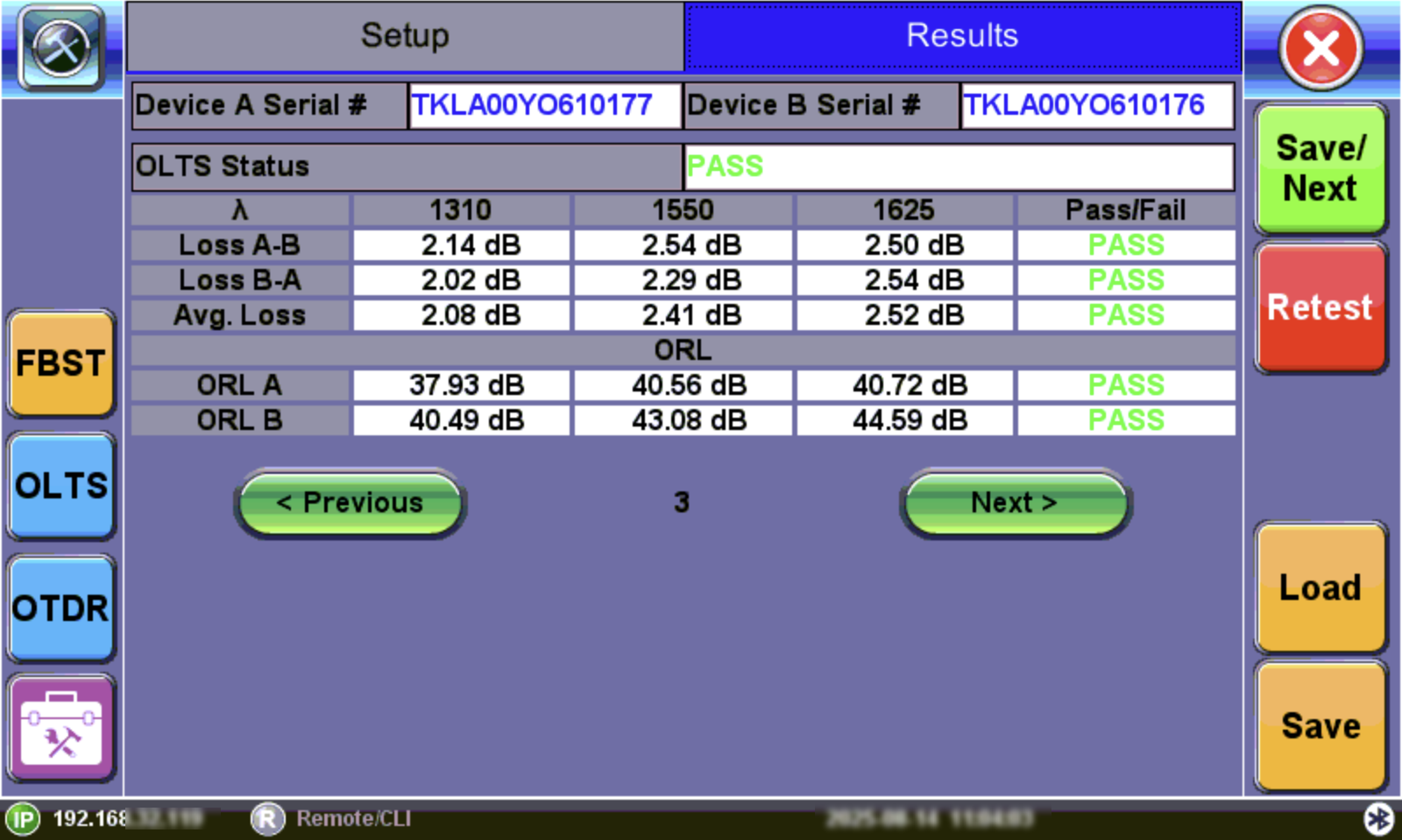
OLTS Link Loss Results
Select Save to save the fiber test results so they can be presented in one combined summary report. Refer to FiberBEAST Test Reports.
Load Previously Saved Results
Previously saved test results can be loaded on the Results screen to view and retest, if needed. Select Load. On the Load Results screen, select a saved result and then select OK.
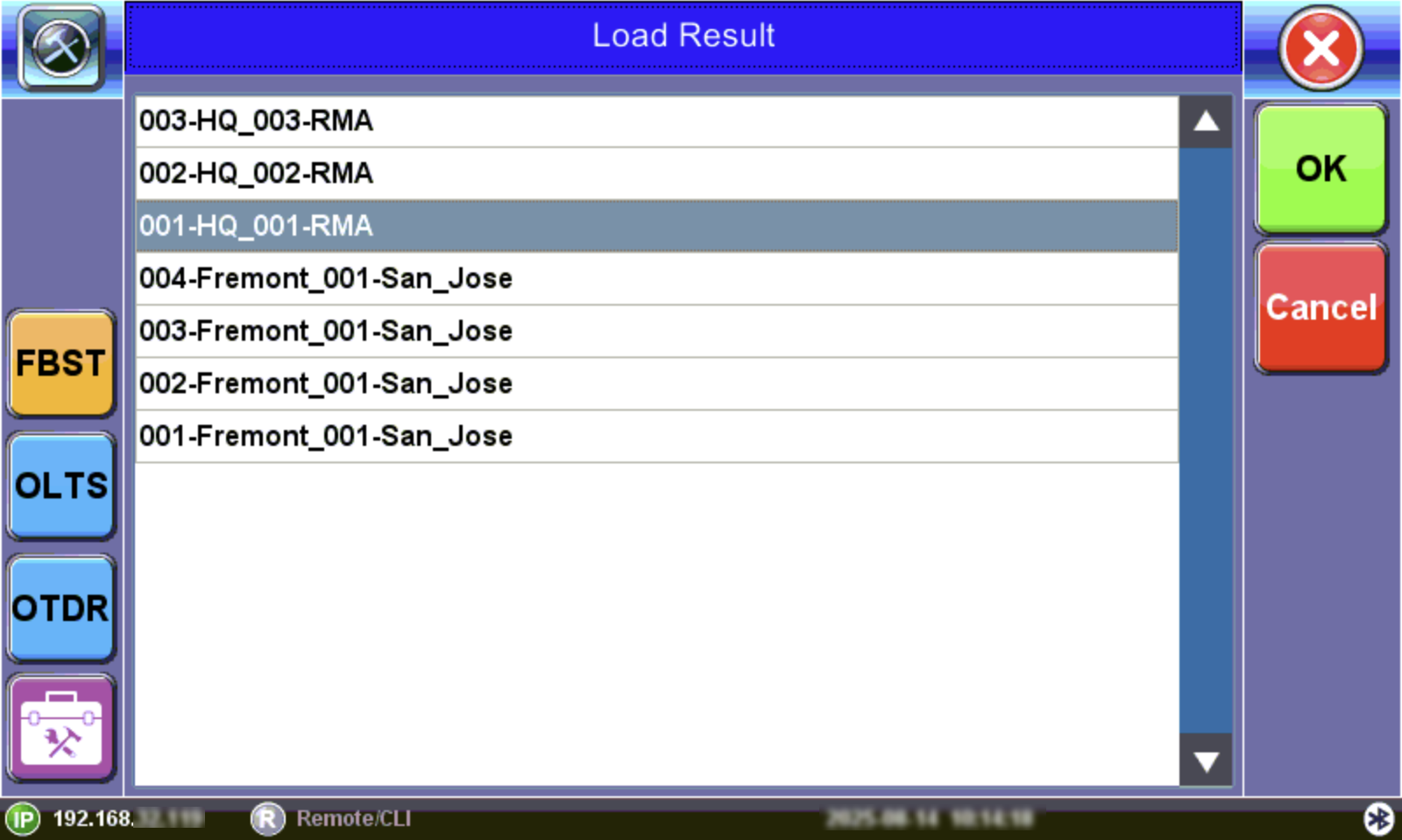
Load Results screen