User Roles
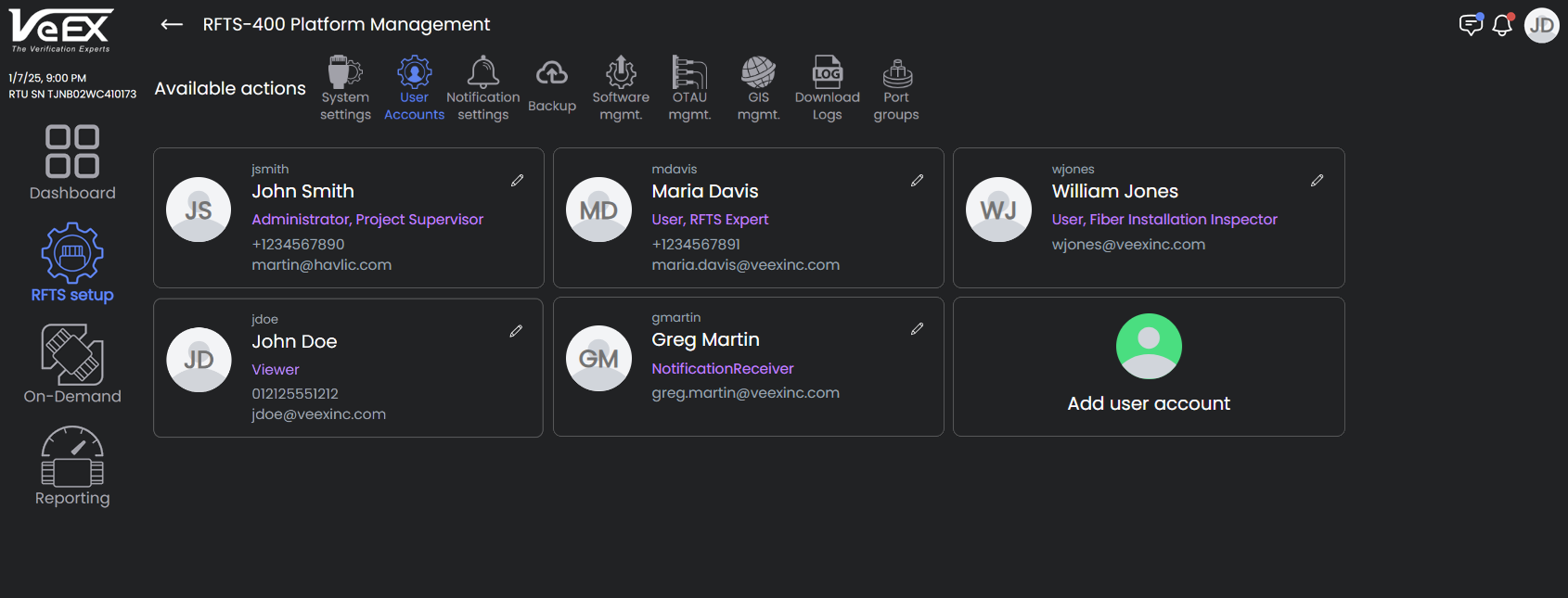
The RFTS-400 Serverless software limits the number of concurrent user sessions to five. The system is designed to maintain system security by implementing four user roles.
 A good security practice is to avoid giving the default administrator account to multiple users. Instead, make a separate user account for each user that has to use the system. Use Port Groups so users will see only those ports they work on.
|
Notification Receiver |
Viewer |
User |
Administrator |
|
| Receive monitoring alarms | ☑ | ☑ | ☑ | ☑ |
| View monitoring results | ☑ | ☑ | ☑ | |
| Run On-Demand tests | ☑ | ☑ | ||
| Modify settings and thresholds related to fiber monitoring | ☑ | ☑ | ||
| Receive system notifications | ☑ | |||
| Modify system settings | ☑ | |||
| Create/modify/delete users | ☑ | |||
| GIS Management | ☑ |
User Roles
Adding Users
Adding Users
To add a user
-
On the left menu, select RFTS setup
 , then for the Platform OCM, click
  .
. -
On the top menu, select User Accounts
 .
. -
Select Add User.
-
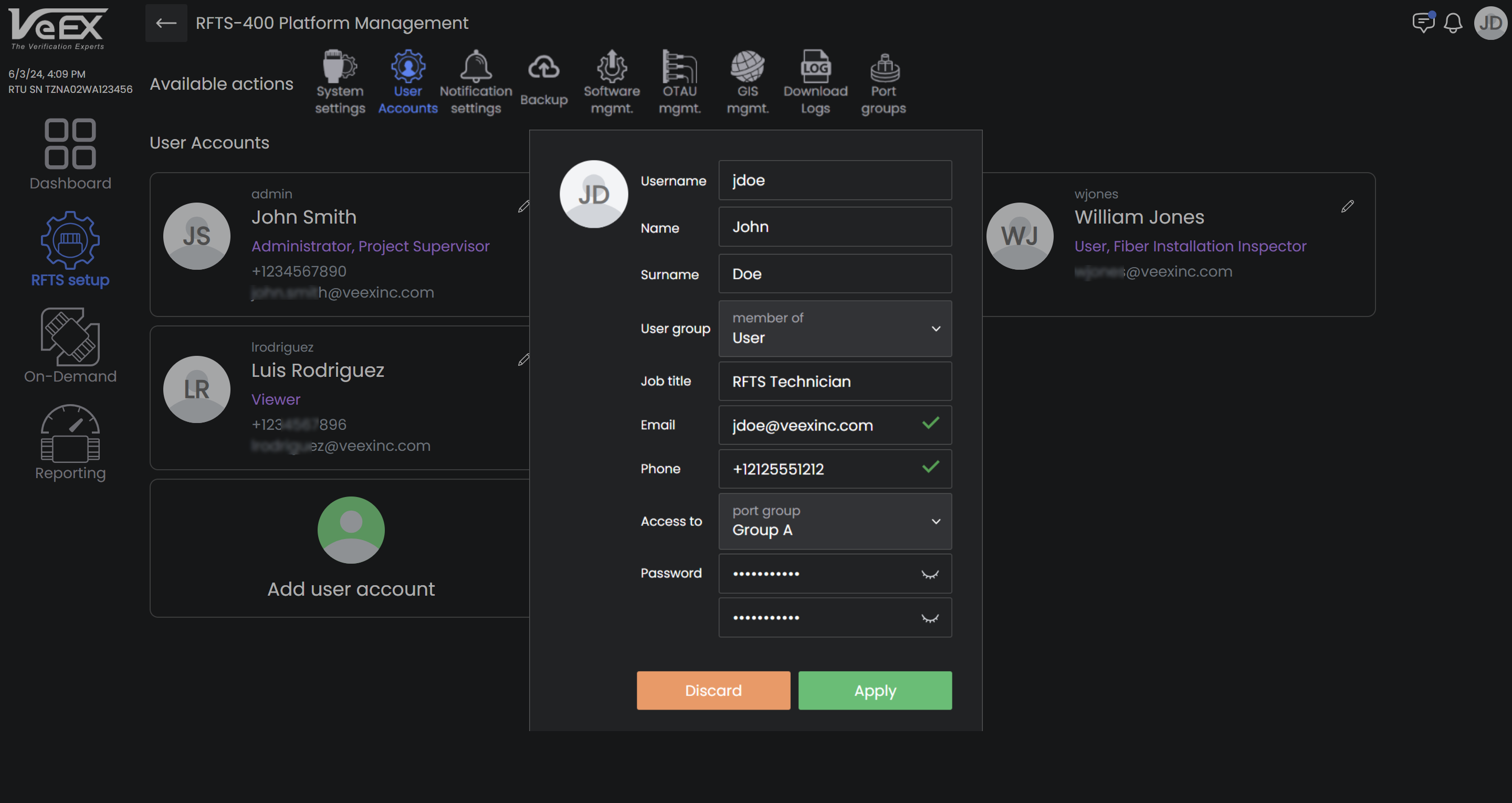
In the dialog, enter the user's information and select the Apply button.
-
The User group selected limits the user to specific functions/privileges. Refer to the User Roles table when choosing a user group.
-
The Port group limits visibility of specific ports, so that users can view and work only with the test ports for which they are responsible. Refer to Port Groups for more information.
-
For information about making changes to the user settings, see Personal Profile and Settings.