Advanced OPM Mode/Tools
Advanced Mode features advanced troubleshooting tests beyond basic signal level measurements. Further investigation may be required when the OPM test mode indicates good signal level, but the network is generating alarm or errors.
To access the Advanced menu, press the Tools button on the OPM screen.
-
PLOAM / XGS PLOAM Decoder captures and decodes PLOAM messages exchanged between the Optical Line Terminal (OLT) and ONT.
-
OC Decode displays information from the OLT in an easy to read format.
See OC Decode. -
Active ONU lists all active ONUs currently on the network as determined by the OLT.
-
Splitter analysis: used to verify which ONT/ONUs are connected to the splitter. It checks the power level on ports to verify each output leg is correctly wired, routed, and performing correctly.
See Splitter Analysis. -
Distribution analysis: used to verify ONTs are connected to the right splitter port. It checks distribution path between customer-side port on ODF and ONT port to realign the splitter and verify end-to-end connectivity. Distribution Analysis - Multi performs multi-splitter/service provider audits.
See Distribution Analysis.
-
Construction: verifies the PON ID/MAC ID and measures power levels at each port during network build-outs and cabinet commissioning.
-
OLT Commission: verifies PON ID/MAC ID and measures power levels for each port connected to OLT at the headend to validate synchronization with ONTs/ONUs.
See OLT Commission.
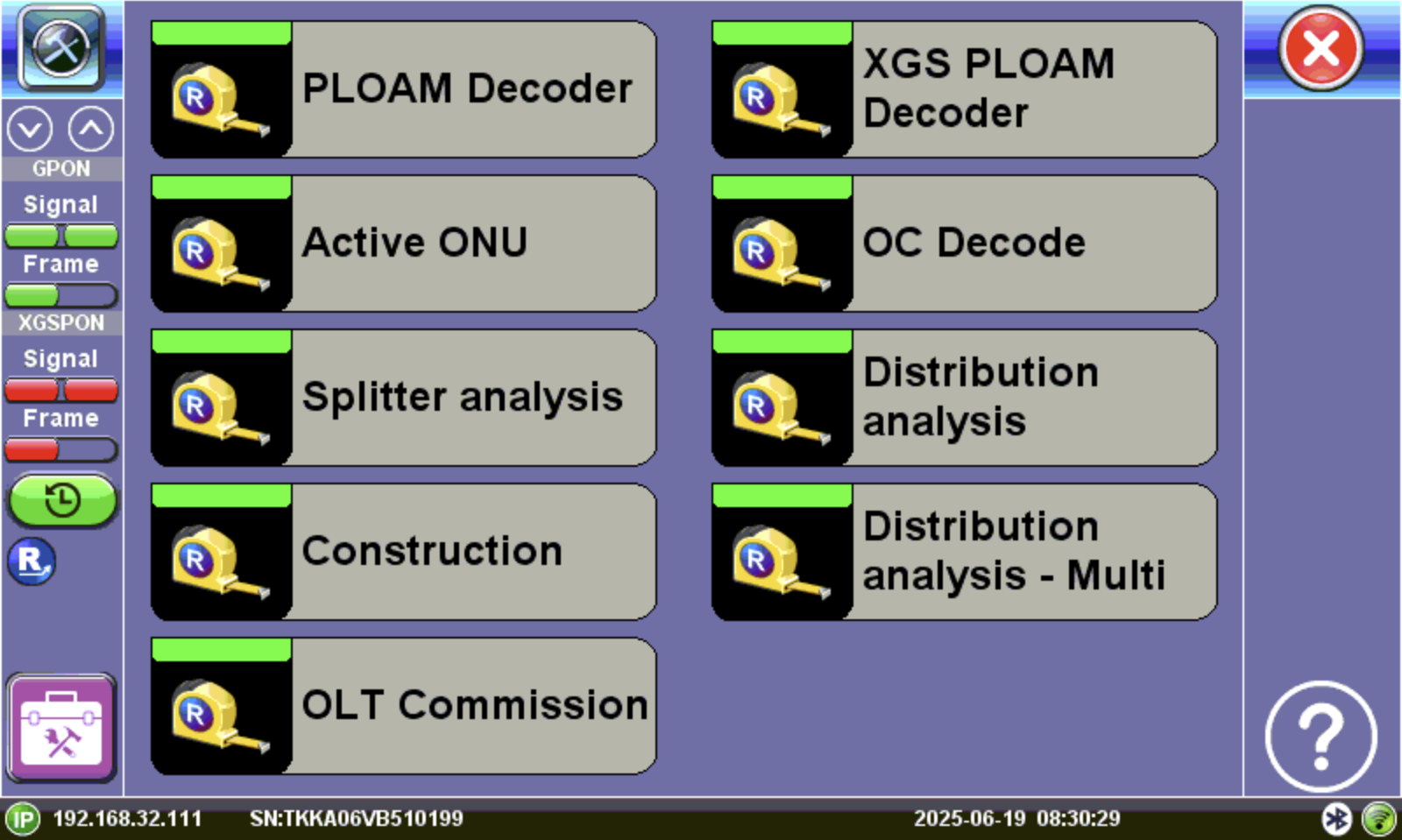
Advanced home menu